
1. Dotnote

    Her not bir noktayla başlar.Every note starts with a dot.

    Gerçek sayfalardan oluşan bir defter. Elle yaz, PDF'lerin üstüne not al; sesi, fotoğrafı ve videoyu sayfada tam ait oldukları yere koy.A notebook of real pages for your pen. Write by hand, mark up PDFs, and put audio, photos and video exactly where they belong on the page.

    Bilgisayarda açOpen on computer Yakında Google Play'deComing soon to Google Play

    Aşağı kaydır, uygulamanın içinde gezelim.Scroll down and take a walk inside the app.

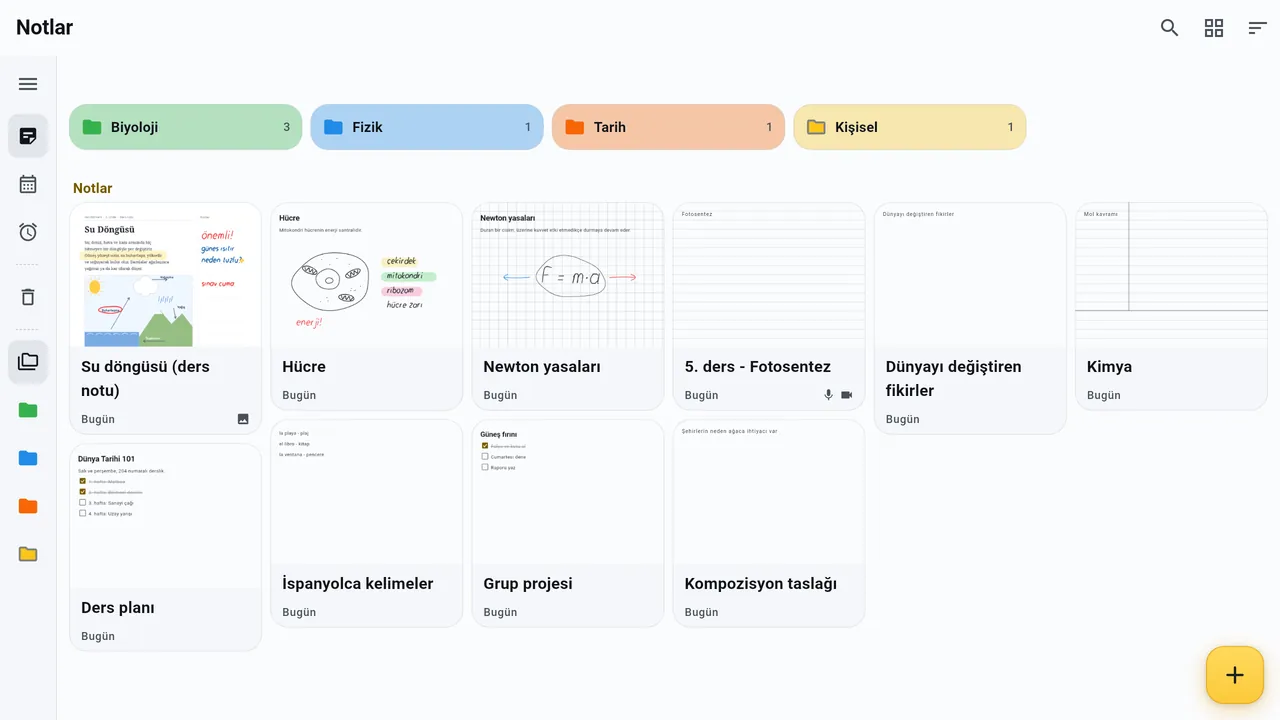
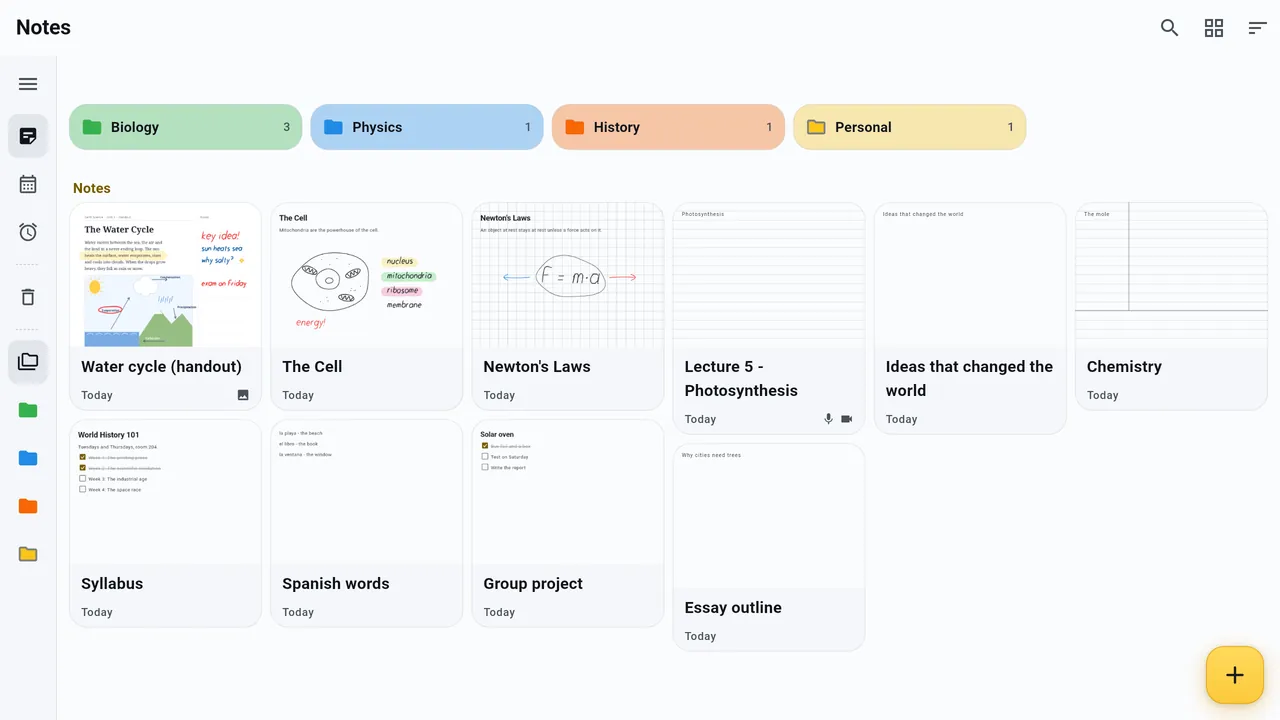
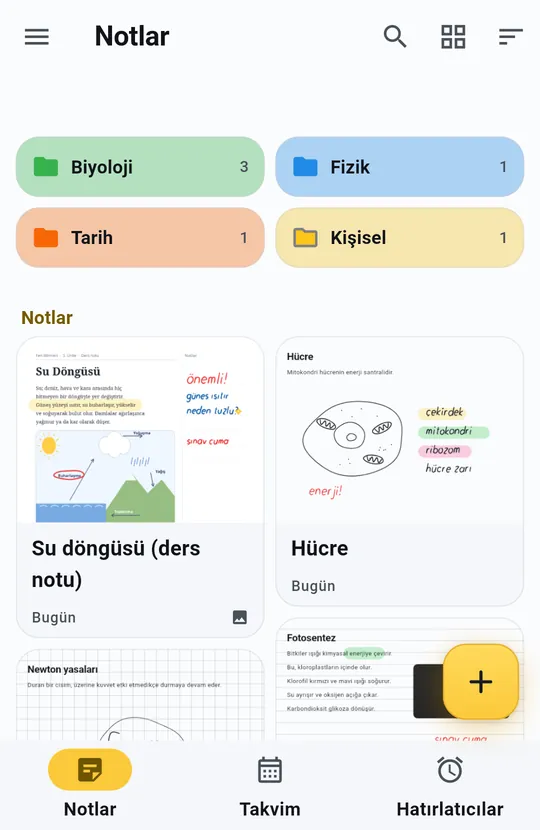
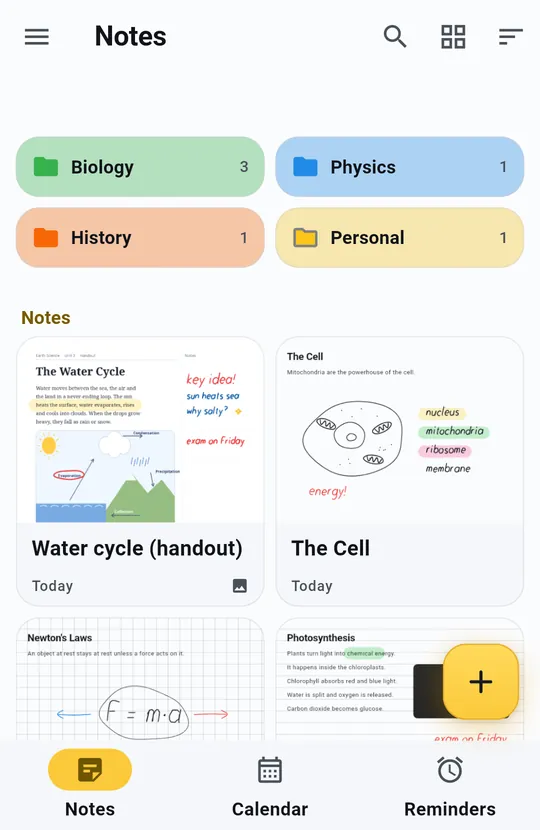
    Dotnote'un ana ekranı: renkli klasörler ve not kartlarıDotnote's home screen with coloured folders and note cards
  2. 01 / 08

    Gerçek sayfalarReal pages

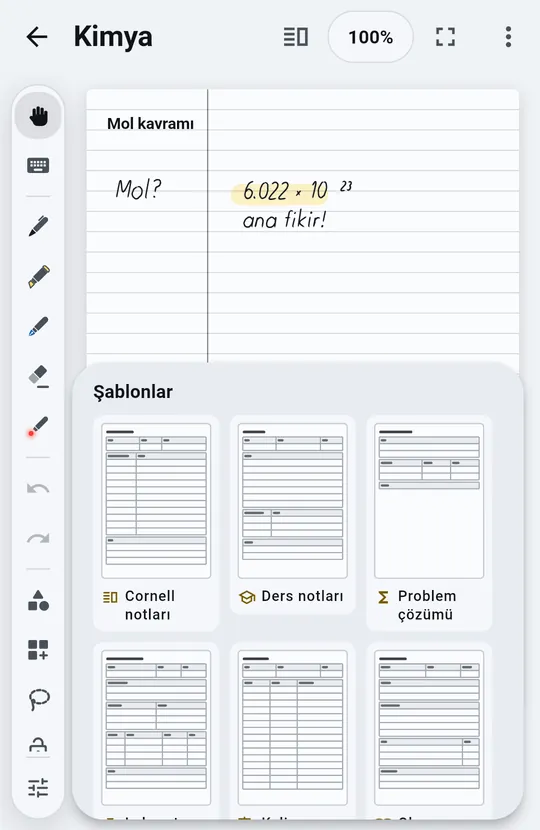
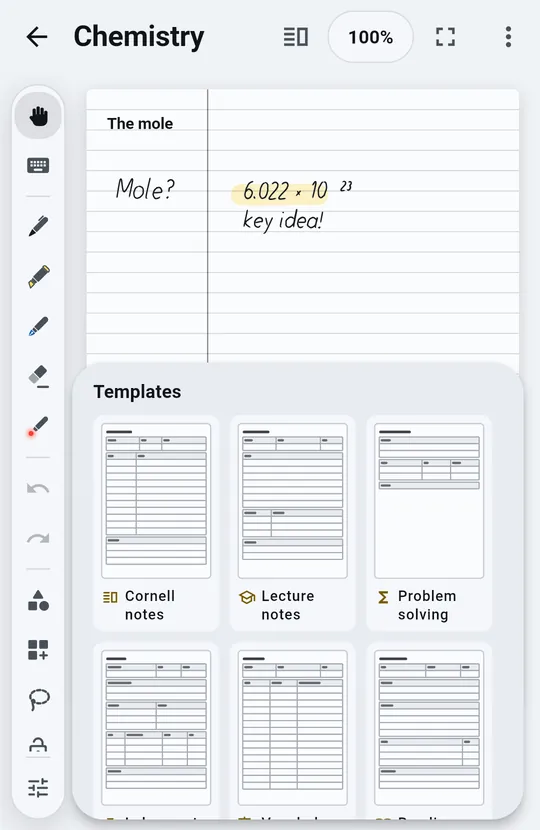
    A4, 16:9 slayt ya da kendi belirlediğin boyut. Düz, çizgili, kareli ya da noktalı kâğıt; Cornell notlarından haftalık plana kadar şablonlar.A4, 16:9 slides or a size of your own. Plain, lined, grid or dotted paper, and templates from Cornell notes to a weekly planner.

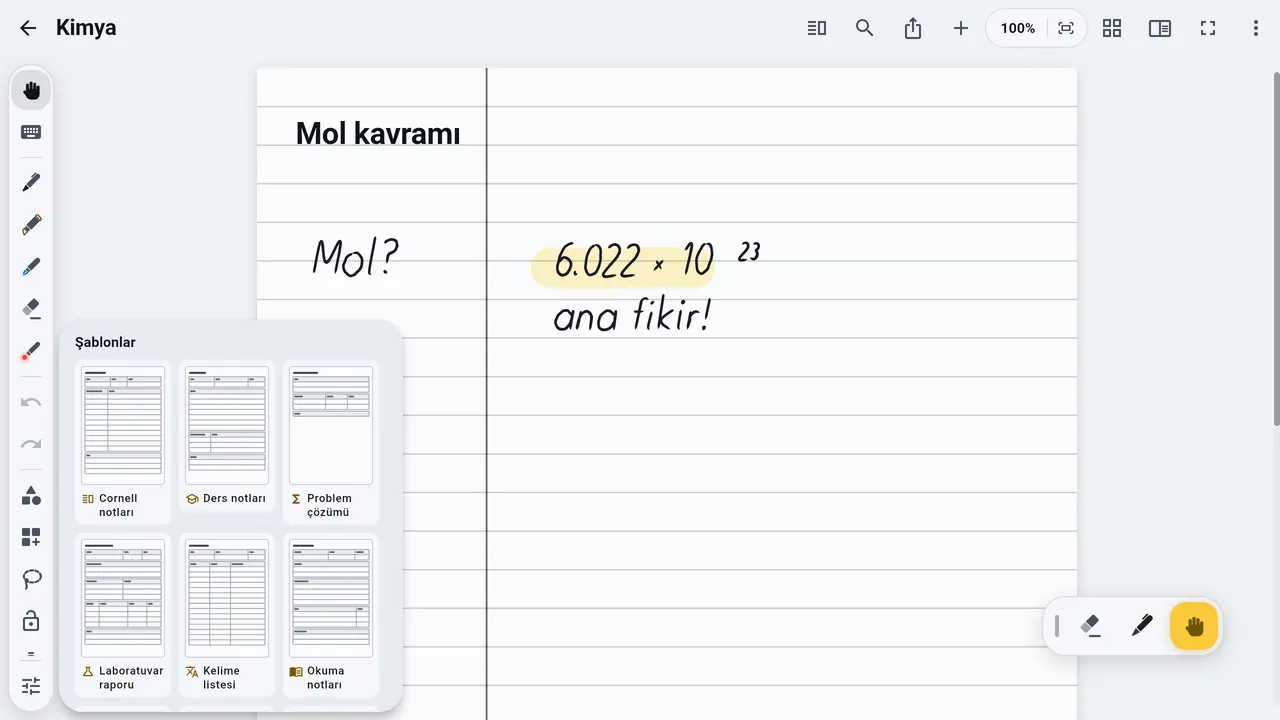
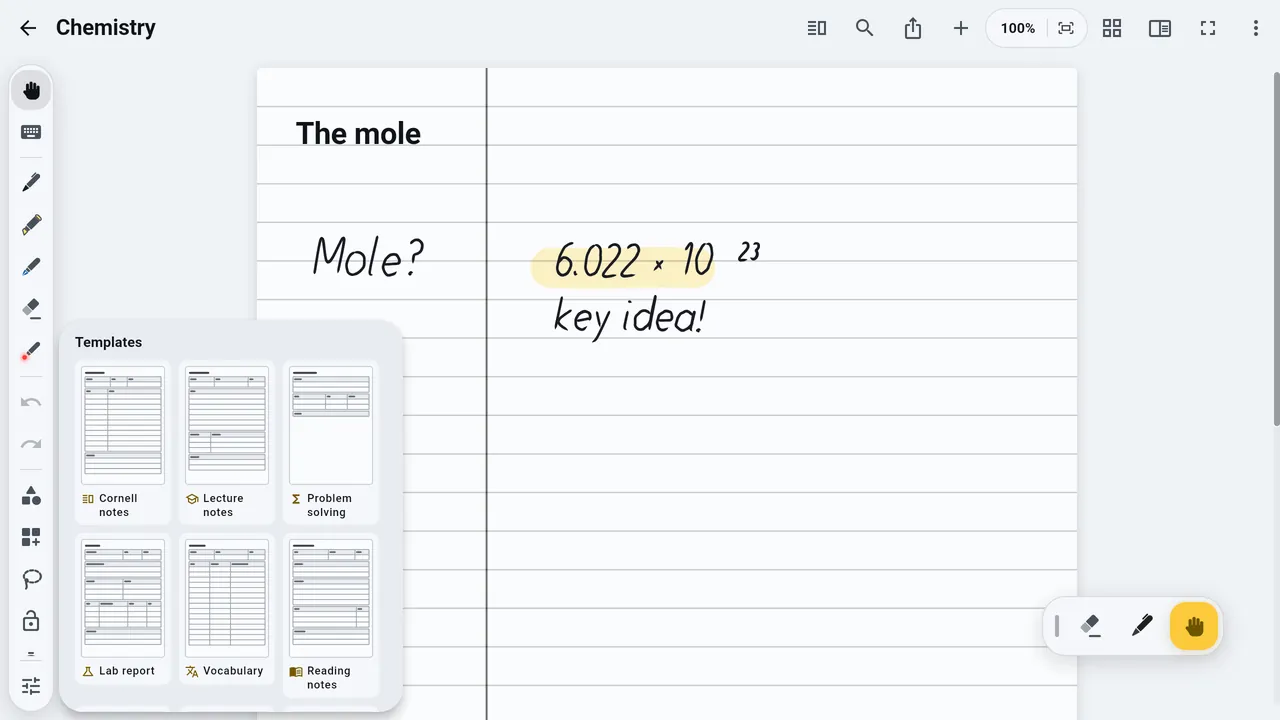
    Dotnote'ta şablon seçimiChoosing a page template in Dotnote
  3. 02 / 08

    Kalemle yazWrite with a pen

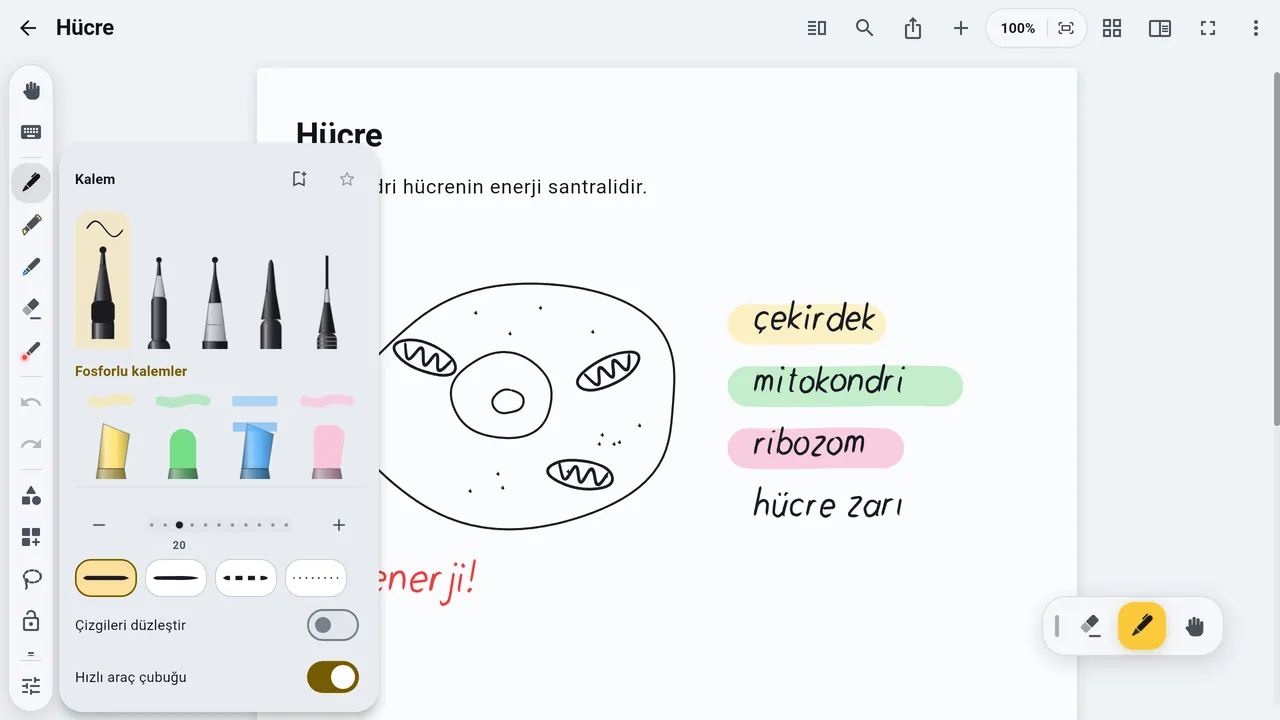
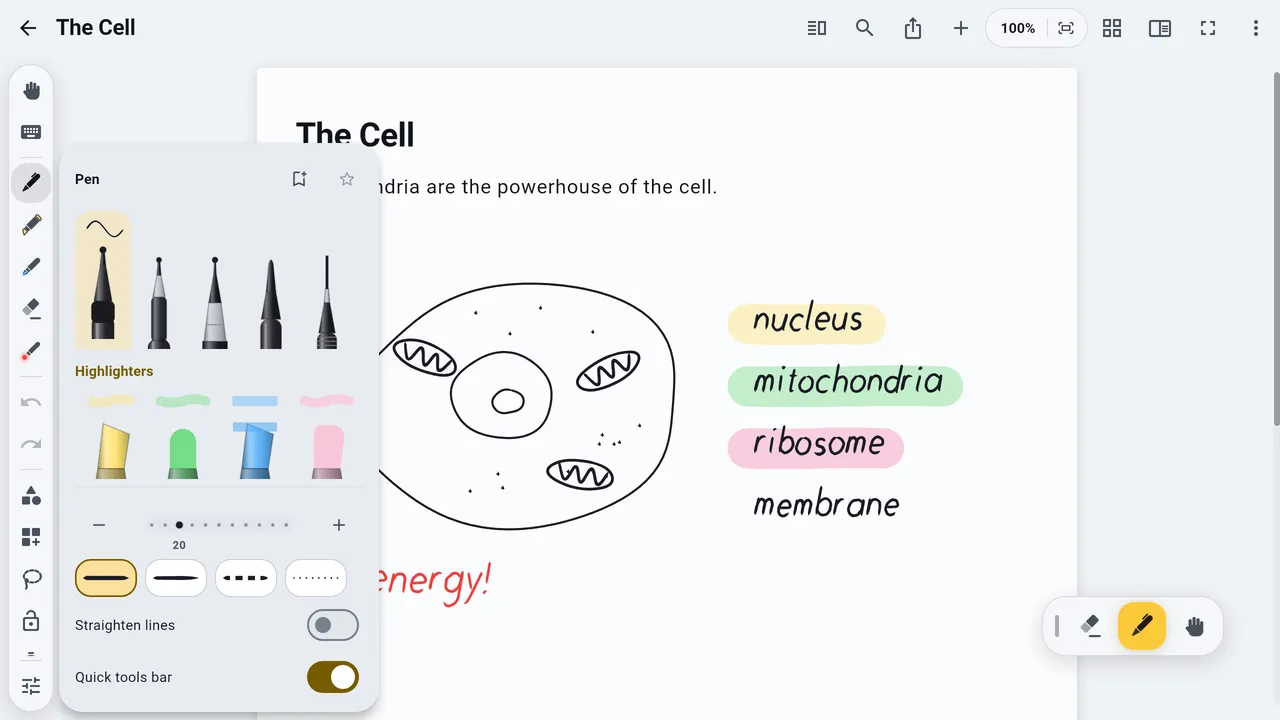
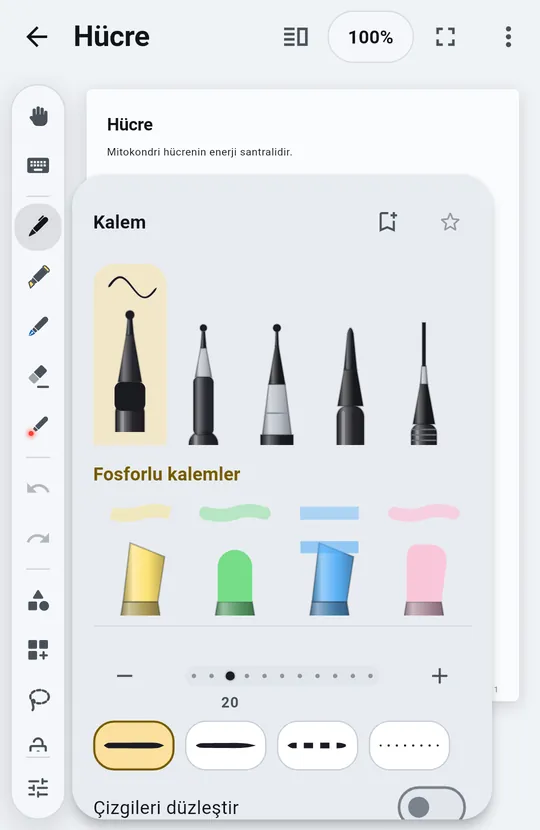
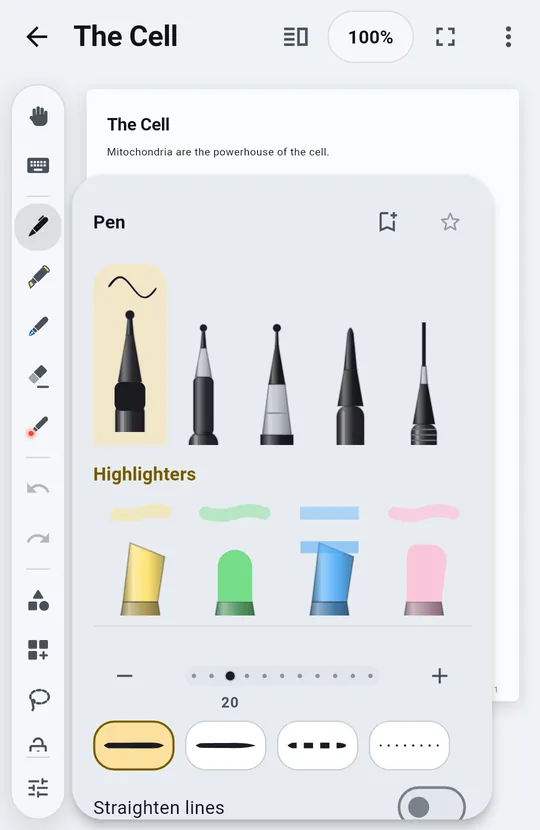
    On iki kalem türü, hepsi baskıya duyarlı. Sadece kalem çizer; parmakların sayfayı kaydırır ve yakınlaştırır.Twelve pen types, all pressure-sensitive. Only the pen draws; your fingers scroll and zoom the page.

    Kalem ve fosforlu kalem seçenekleriPen and highlighter options
  4. 03 / 08

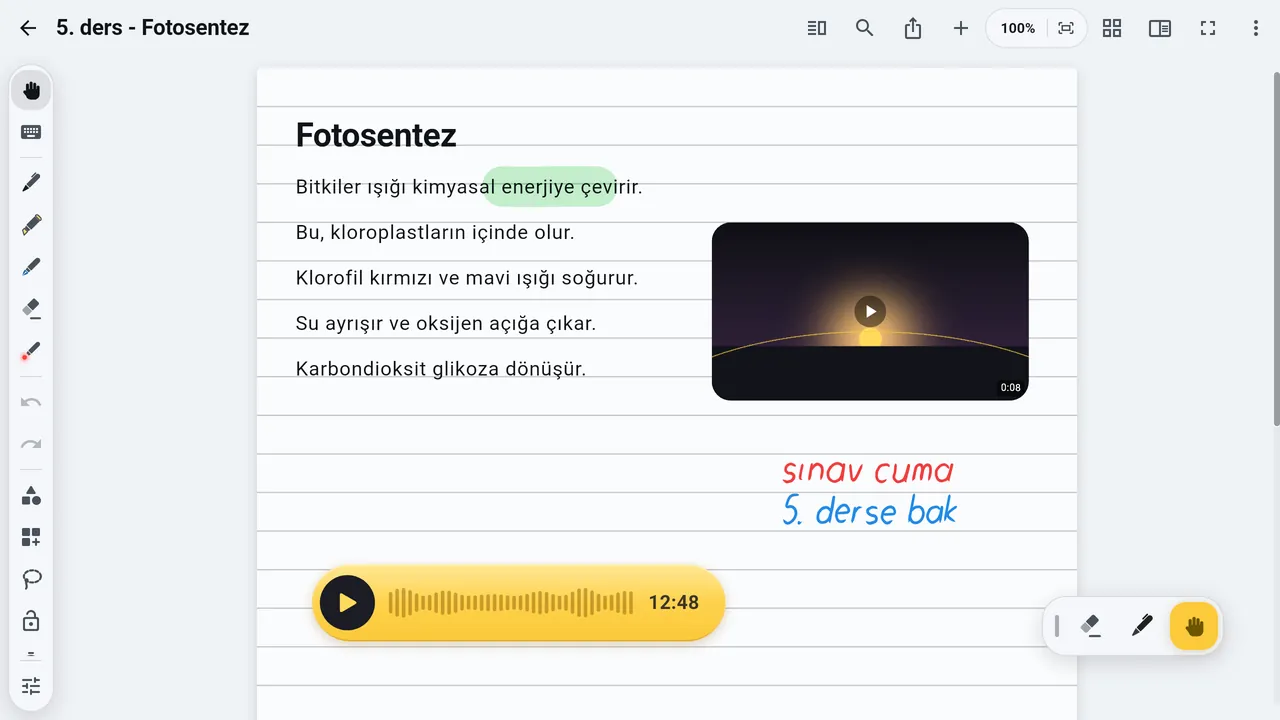
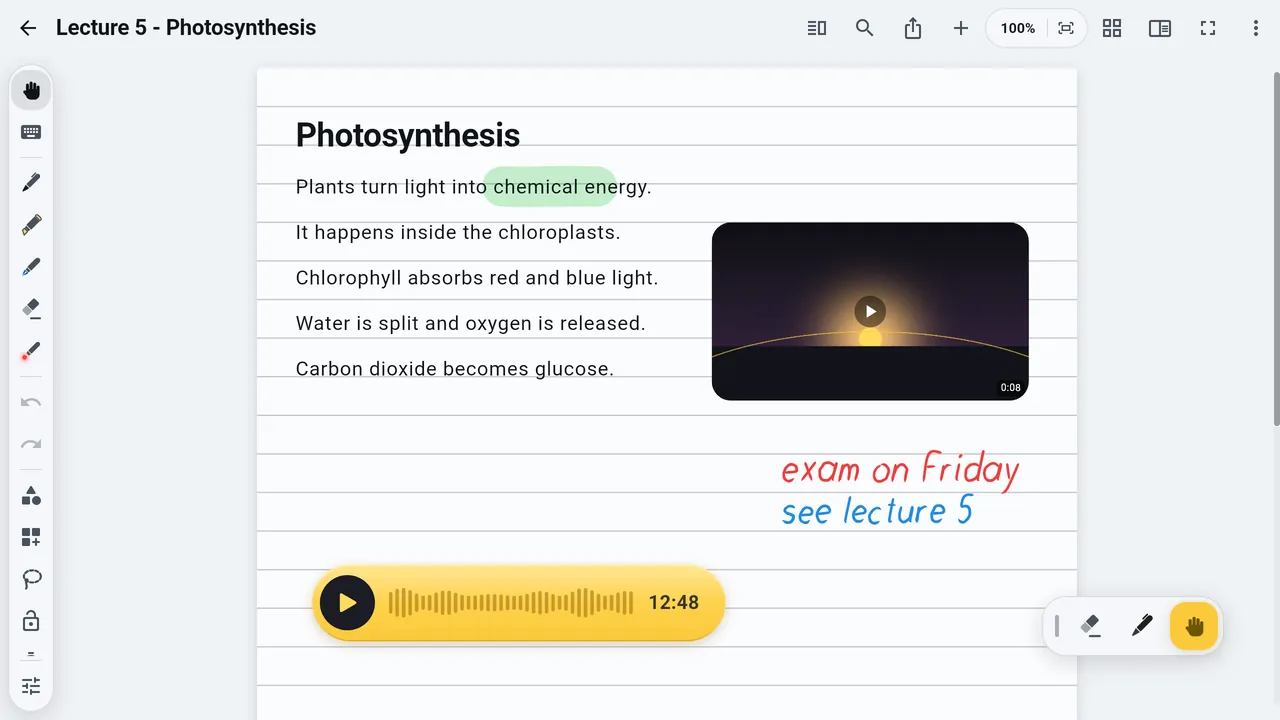
    Ses, tam yerindeAudio, right in place

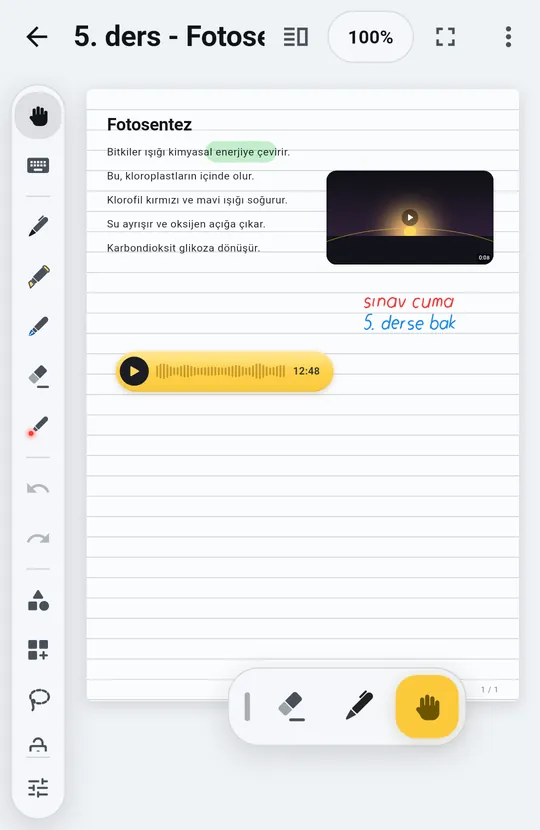
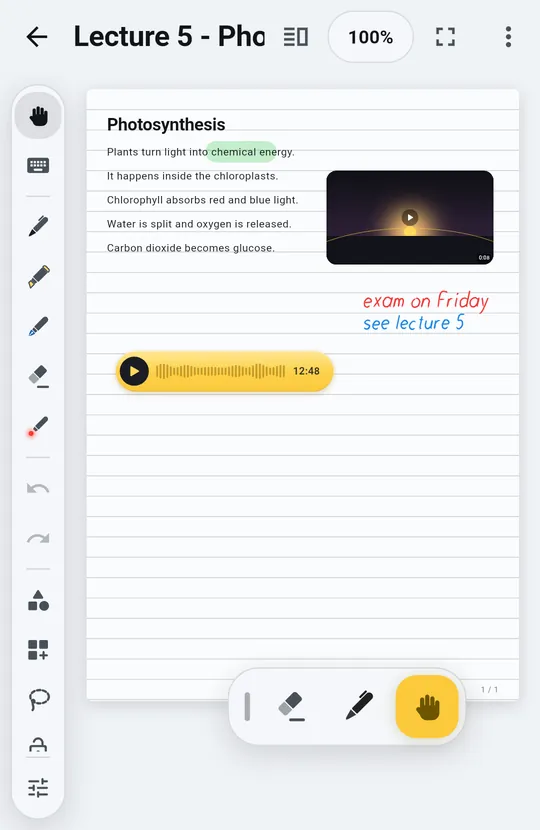
    Sayfada bir yere dokun, sesi oraya kaydet. Kayıt sürerken yazmaya devam et; her kayıt sayfadaki yerinden çalar.Tap a spot and record audio right there. Keep writing while it records; each clip plays from its place on the page.

    Sayfaya kaydedilmiş bir ses kaydı ve bir videoAn audio recording and a video placed on a page
  5. 04 / 08

    Video, fotoğraf, dosyaVideo, photos, files

    Hepsini sayfanın istediğin yerine koy, sonra taşı ve boyutlandır. Sayfanın düzeni senin.Put them anywhere on the page, then move and resize them. The layout is yours.

    Yazıların yanında bir video ve bir ses kaydıA video and an audio recording next to typed lines
  6. 05 / 08

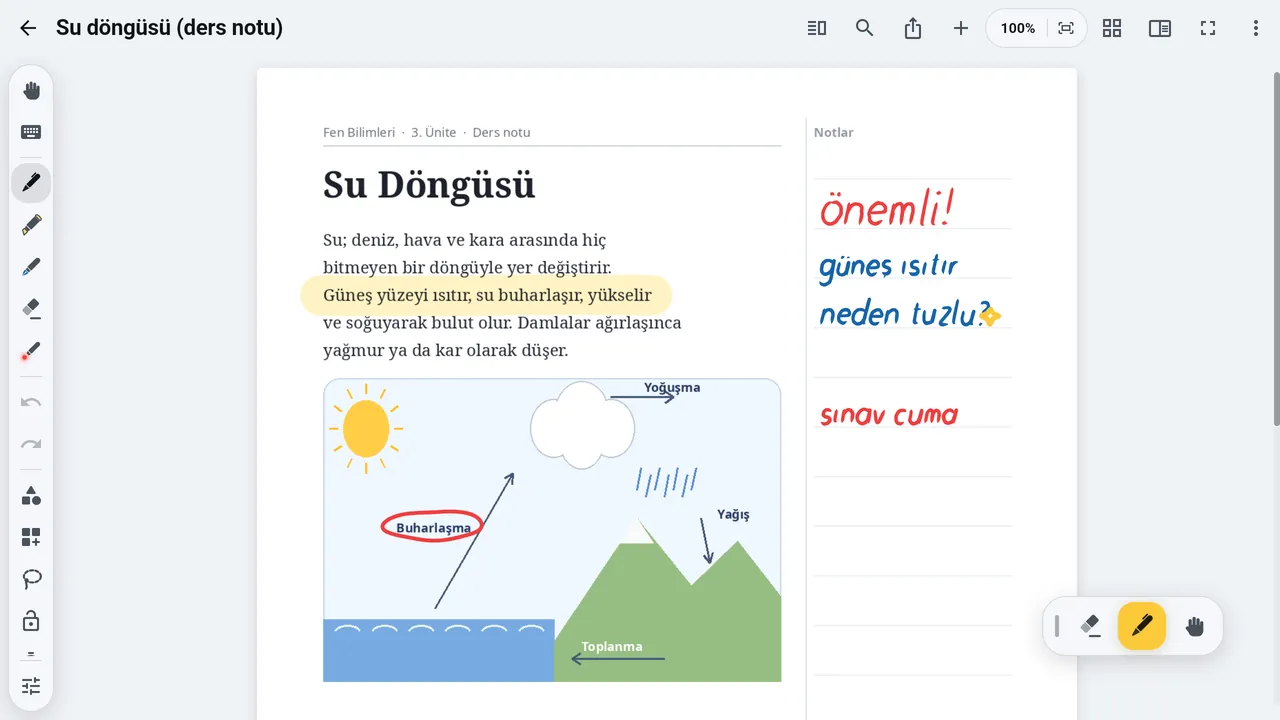
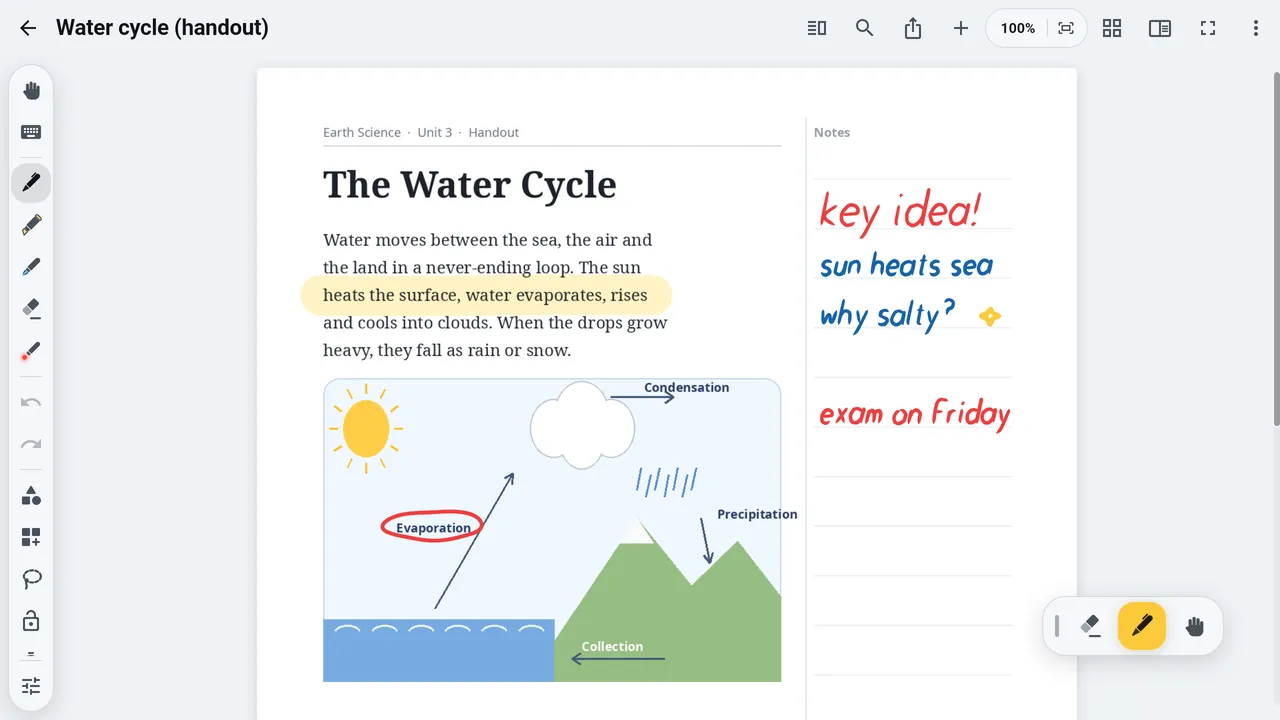
    PDF'in üstüne yazWrite on your PDFs

    PDF'i üstüne yazabileceğin sayfalar olarak içe aktar. Word, PowerPoint ve Excel dosyalarını da ekle; slaytlar 16:9 sayfa olur.Import a PDF as pages you can write on. Bring in Word, PowerPoint and Excel files too; slides become 16:9 pages.

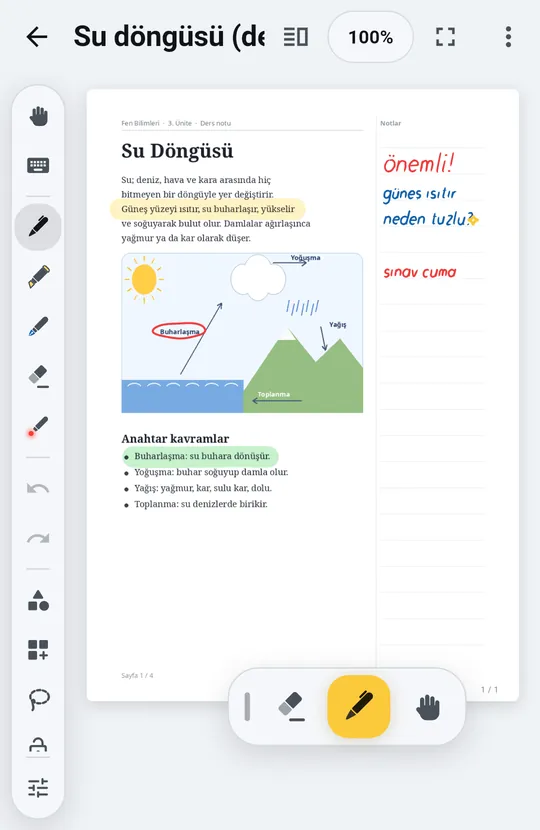
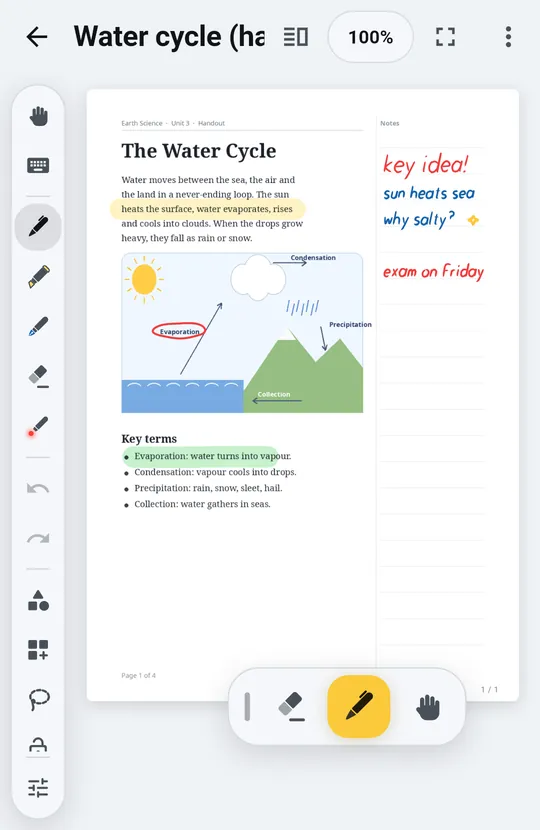
    Üstüne el yazısıyla not alınmış bir PDF sayfasıA PDF page with handwritten notes on it
  7. 06 / 08

    Basılı tut, halka açılsınPress and hold for the ring

    Sayfada bir yere basılı tut: ses kaydı, video, fotoğraf, ses dosyası, dosya ya da başka bir PDF'ten veya nottan sayfa; hepsi parmağının ucunda.Press and hold anywhere on the page: audio, video, photo, sound file, file, or a page from a PDF or another note, all at your fingertips.

  8. 07 / 08

    Dışa aktar, paylaşExport and share

    PDF, Word ya da Dotnote paketi (.elif). Bir .elif dosyası sayfaları, mürekkebi ve medyayı olduğu gibi başka bir cihazdaki Dotnote'a taşır.PDF, Word or a Dotnote package (.elif). An .elif file takes your pages, ink and media, exactly as they are, to Dotnote on another device.

  9. 08 / 08

    Senin, senin cihazındaYours, on your device

    İnternetsiz çalışır, notların cihazında kalır. Android'de Google ile giriş yaparak başlarsın; istersen notlarının bir kopyasını kendi Google Drive'ında tutabilirsin. Bilgisayarda tarayıcıdan aç.Works offline, and your notes stay on your device. On Android you sign in with Google to start, and you can keep a copy of your notes in your own Google Drive. On a computer, open it in your browser.

    Bilgisayarda açOpen on computer Yakında Google Play'deComing soon to Google Play
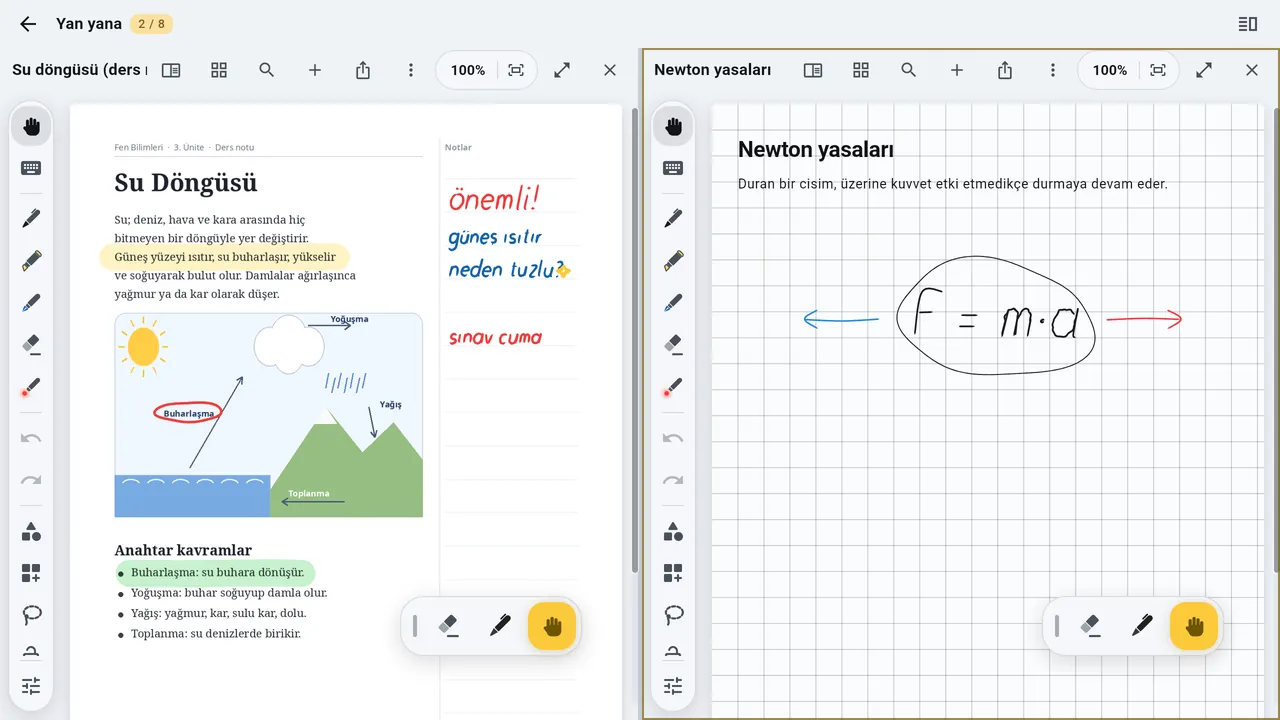
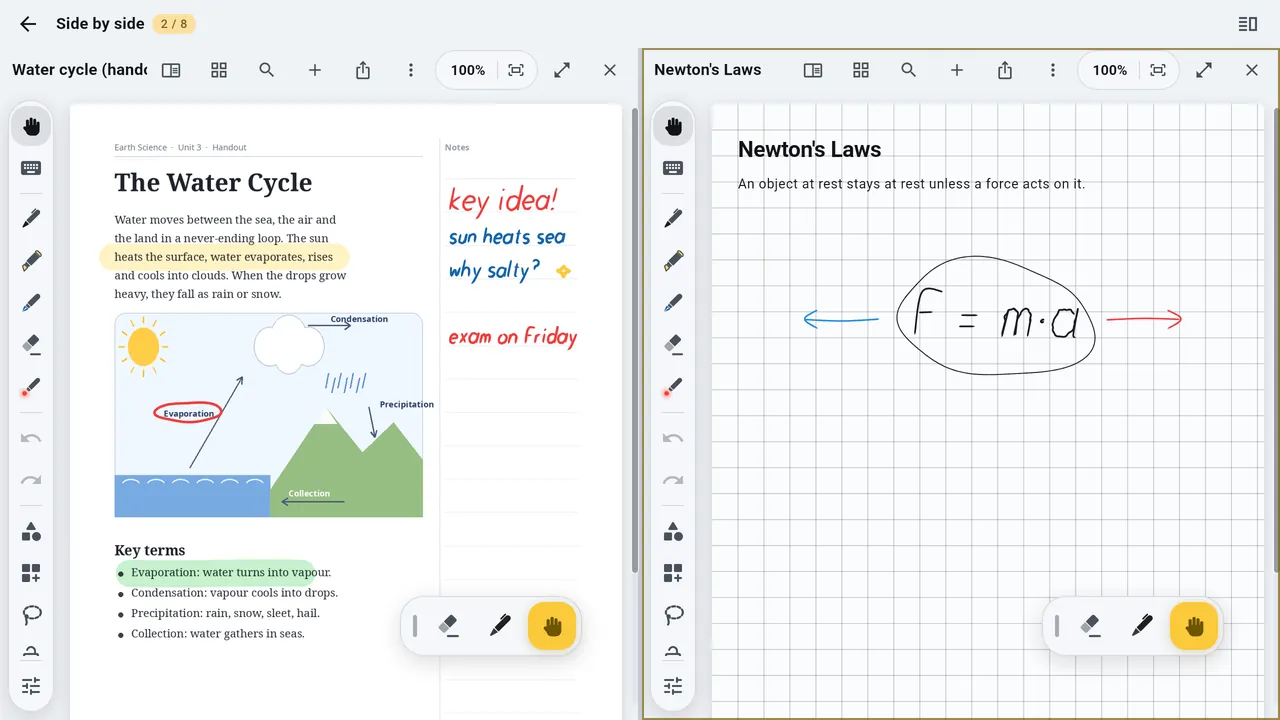
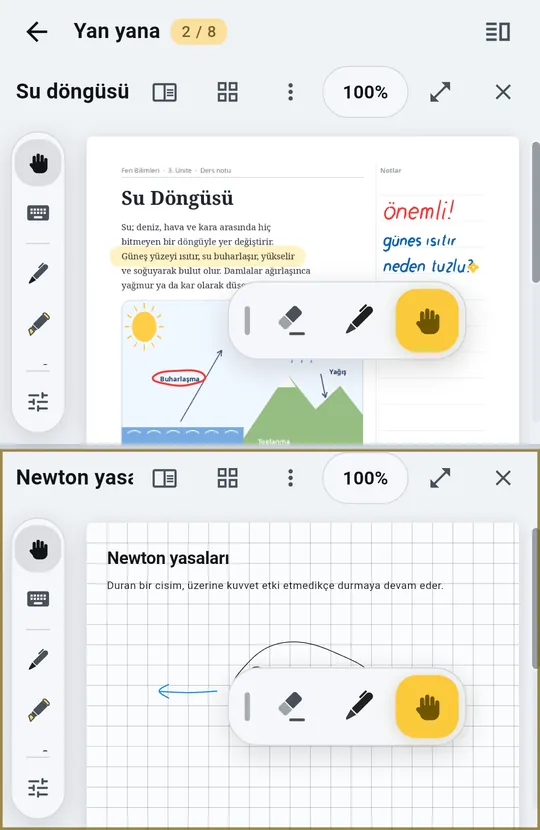
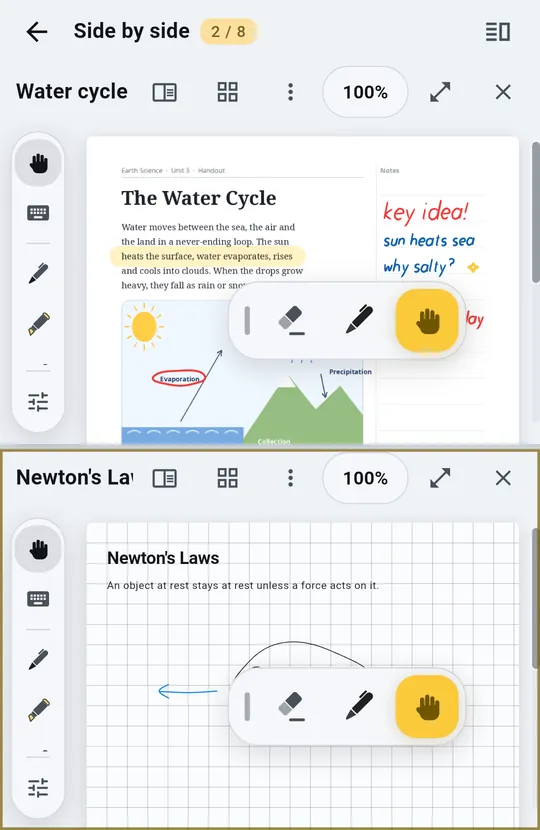
    Bölünmüş ekranda yan yana iki notTwo notes side by side in split view

EkranlarScreens

Doğrudan uygulamadan.Straight from the app.

PDF'in üstüne el yazısıHandwriting on a PDF
Klasörler ve notlarFolders and notes
Sayfada ses ve videoAudio and video on the page
Kalemler ve fosforlu kalemlerPens and highlighters
Bölünmüş ekranSplit view
ŞablonlarTemplates
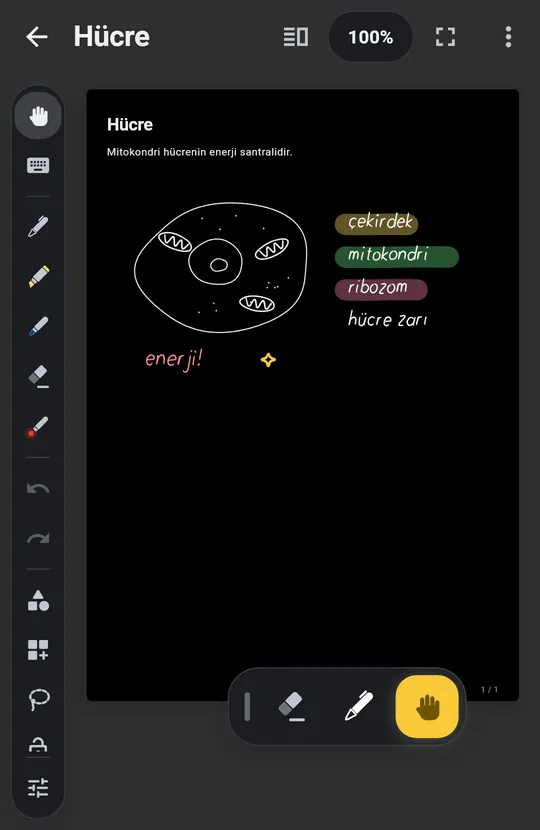
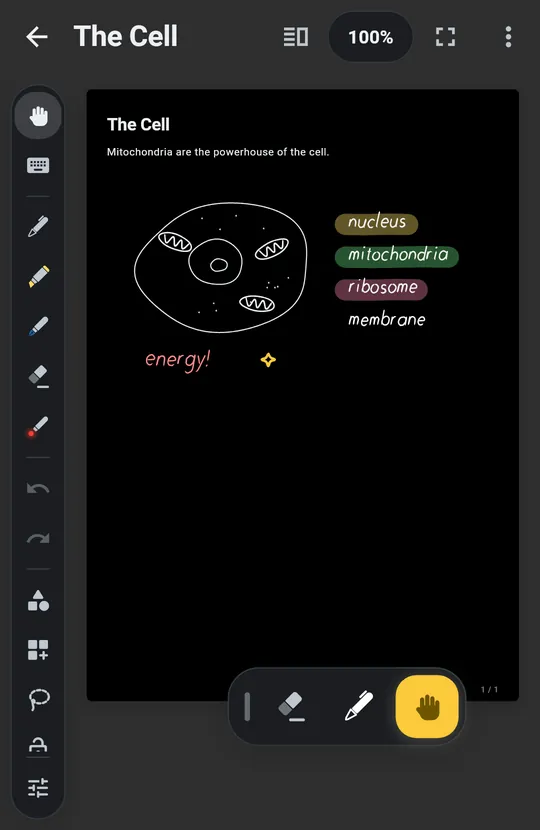
Koyu temaDark theme

SorularQuestions

Kısa cevaplarShort answers

Notlarım nerede saklanıyor?Where are my notes kept?

Cihazında. Android'de istersen bir kopyasını kendi Google Drive'ında tutabilirsin. Bilgisayarda notlar o tarayıcının içinde saklanır; tarayıcının site verilerini silmek notları da siler.On your device. On Android you can keep a copy in your own Google Drive. On a computer, notes are kept inside that browser; clearing the browser's site data deletes them too.

Ücretli mi?Does it cost anything?

Şu an bütün özellikler ücretsiz.All features are free for now.

Hesap açmam gerekiyor mu?Do I need an account?

Dotnote'ta ayrı bir hesap yok. Android'de başlamak için Google ile giriş yaparsın; bu bizde bir hesap açmaz ve notların cihazında kalır. Bilgisayardaki sürüm giriş istemez.There is no Dotnote account to create. On Android you sign in with Google to start; that opens no account with us, and your notes stay on your device. The version for computers asks for no sign-in.

Tablet ile bilgisayar arasında notlar eşitlenir mi?Do notes sync between my tablet and my computer?

Henüz kendiliğinden değil. Bir notu .elif olarak dışa aktarıp öbür cihazda açabilirsin; sayfalar, mürekkep ve medya olduğu gibi gelir.Not by themselves yet. Export a note as .elif and open it on the other device; pages, ink and media come across as they are.

iPhone ya da iPad sürümü var mı?Is there an iPhone or iPad version?

Henüz yok.Not yet.

Hemen deneTry it

Dotnote'u nerede kullanabilirsin?Where can you use Dotnote?

Bilgisayarda, bugünOn your computer, today

Chrome ya da Edge'de aç; istersen uygulama olarak yükle, kendi penceresinde açılsın. Notların o bilgisayarda, o tarayıcıda saklanır; bu sürümde Google Drive kopyası yok. Bir kopyasını tutmak için .elif olarak dışa aktar.Open it in Chrome or Edge and install it as an app if you like, so it opens in its own window. Your notes are kept in that browser on that computer; this version has no Google Drive copy. Export to .elif to keep a copy.

Google'ın giriş betiğini ve bir sayfa gerektirdiğinde yazı tiplerini Google'dan yükleyebilir.It may load Google's sign-in script, and fonts from Google when a page needs them. AyrıntılarDetails

Bilgisayarda açOpen on computer

Android'de, yakındaOn Android, soon

Kapalı test çok yakında başlıyor; ardından Google Play'e geliyor. Başlamak için Google ile giriş yaparsın. Tablet ve kalemle en iyi hâlinde; telefonda da çalışır.A closed test starts very soon; then it comes to Google Play. You sign in with Google to start. It shines on a tablet with a pen, and it works on phones too.

Yakında Google Play'deComing soon to Google Play
  • ÜcretsizFreeŞu an bütün özellikler ücretsiz.All features are free for now.
  • 10dil: Türkçe, İngilizce, Almanca, Fransızca, İspanyolca, Portekizce, İtalyanca, Rusça, Arapça, Endonezce.languages: English, Turkish, German, French, Spanish, Portuguese, Italian, Russian, Arabic, Indonesian.
  • ÇevrimdışıOfflineİnternet olmadan açılır ve kaydeder.Opens and saves without a connection.